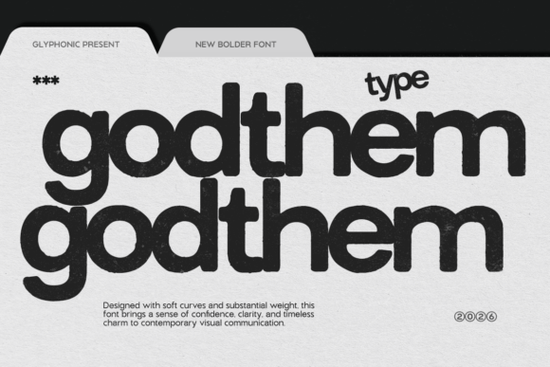
If you're looking for a font that commands attention with raw energy and attitude, Godthem Font delivers exactly that. This bold display typeface stands out in any project where you want to make a statement whether it’s streetwear branding, music visuals, or editorial layouts. With its strong letterforms and gritty grunge textures, Godthem feels unapologetically bold and full of character.
What makes Godthem Font stand out?
Unlike clean, minimalist sans-serifs, Godthem embraces imperfection. The distressed edges, worn details, and textured overlays give each letter a lived-in, authentic feel. It’s not just about looking tough it’s about feeling real. The font blends modern clarity with a rebellious edge, making it perfect for projects that need visual punch without losing readability.
You’ll notice how the weight and structure of each character carry power. There’s no hesitation in the strokes. Whether used in uppercase headlines or mixed-case text, the font maintains its presence across different sizes and mediums.
Where can you use Godthem Font effectively?
- Streetwear & apparel design: Perfect for t-shirt graphics, hoodies, and brand logos that speak to youth culture and underground styles.
- Music & concert visuals: Ideal for album covers, posters, and stage designs where mood and intensity matter.
- Editorial & magazine layouts: Great for feature headlines, pull quotes, or anything needing a dramatic tone.
- Print-on-demand products: Use it on mugs, stickers, and wall art where bold typography grabs attention instantly.
Because it’s a display font, it works best as a headline or focal point rather than body text. Pair it with simpler fonts like Ballpoint Writing or Polaroid for balance and contrast.
How does Godthem fit into your creative workflow?
As a designer or small business owner, you know how important it is to find fonts that match your brand voice. If yours leans toward edgy, authentic, or urban themes, Godthem fits right in. It’s especially useful when working with clients who want their brand to feel bold and fearless.
The font is easy to install and compatible with most design tools Adobe Illustrator, Photoshop, Canva, and more. You can also use it in digital product templates, social media graphics, or promotional materials. Just remember: less is more. Let the font do the talking.
Fonts that pair well with Godthem Font
For a balanced look, try combining Godthem with calmer, more neutral typefaces. Here are a few options:
- Heroes – A strong, modern sans-serif that complements Godthem’s intensity without competing.
- Ballpoint Writing – Offers a handcrafted feel that softens the harshness of the grunge texture.
- Polaroid – Adds a nostalgic, slightly playful vibe that contrasts nicely with Godthem’s aggression.
Experimenting with layering and color can also bring out new dimensions. Try using dark reds, black, or faded gray tones to enhance the distressed effect. Overlays or subtle noise textures can deepen the grunge aesthetic without overwhelming the design.
Looking to see how it performs in real-world projects? Check out Godthem Font on Creative Fabrica to browse examples and download the file.
Final thoughts: Is Godthem Font right for you?
If your work thrives on emotion, attitude, and visual impact, then yes this font could be a valuable addition to your library. It’s not for every project, but when the moment calls for something fierce and memorable, Godthem delivers.
Before downloading, consider whether your audience will connect with the tone. If your brand values authenticity and boldness, this font aligns perfectly. But if you’re going for minimalism or elegance, another option might suit better.
Next step: Download Godthem Font, test it in one mockup, and see how it fits your current style. Then explore other fonts in the same category to build a versatile toolkit for future projects.
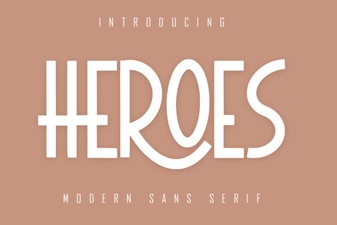 Craft Bold Designs with Heroes Font
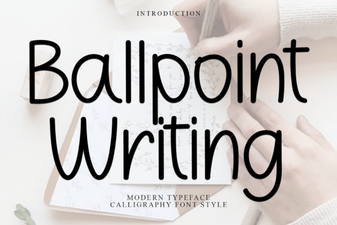 Craft Your Own Ballpoint Pen Font Style
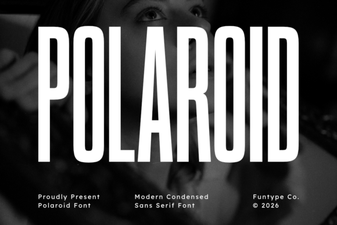 Creative Projects Using Polaroid Font
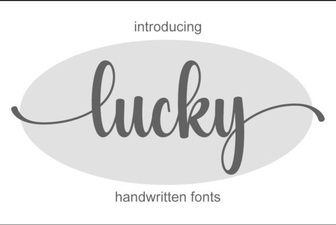 Creative Lucky Font Projects for Better Usability
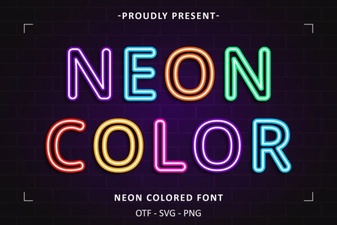 Bright Neon Fonts for Creative Web Design
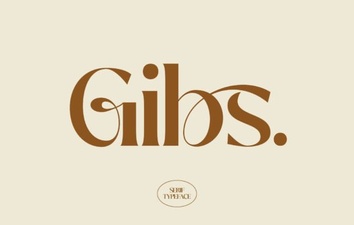 Gibs Font: Design Tips & Download Guide